Just include the sqlite3.h and sqlite3.c files to your project. That’s the simplest way to use. Then, write this code
#include <stdio.h>
#include <sqlite3.h>

static int callback(void *NotUsed, int argc, char **argv, char **azColName)
{
int i;
for(i=0; i<argc; i++)
{
printf("%s = %s\n", azColName[i], argv[i] ? argv[i] : "NULL");
}
printf("\n");
return 0;
}

int main(int argc, char **argv)
{
sqlite3 *db;
char *zErrMsg = 0;
int rc;

if(argc!=3)
{
fprintf(stderr, "Usage: %s DATABASE SQL-STATEMENT\n", argv[0]);
return(1);
}
rc = sqlite3_open(argv[1], &db);
if(rc)
{
fprintf(stderr, "Can't open database: %s\n", sqlite3_errmsg(db));
sqlite3_close(db);
return(1);
}
rc = sqlite3_exec(db, argv[2], callback, 0, &zErrMsg);
if(rc!=SQLITE_OK)
{
fprintf(stderr, "SQL error: %s\n", zErrMsg);
sqlite3_free(zErrMsg);
}
sqlite3_close(db);
return 0;
}
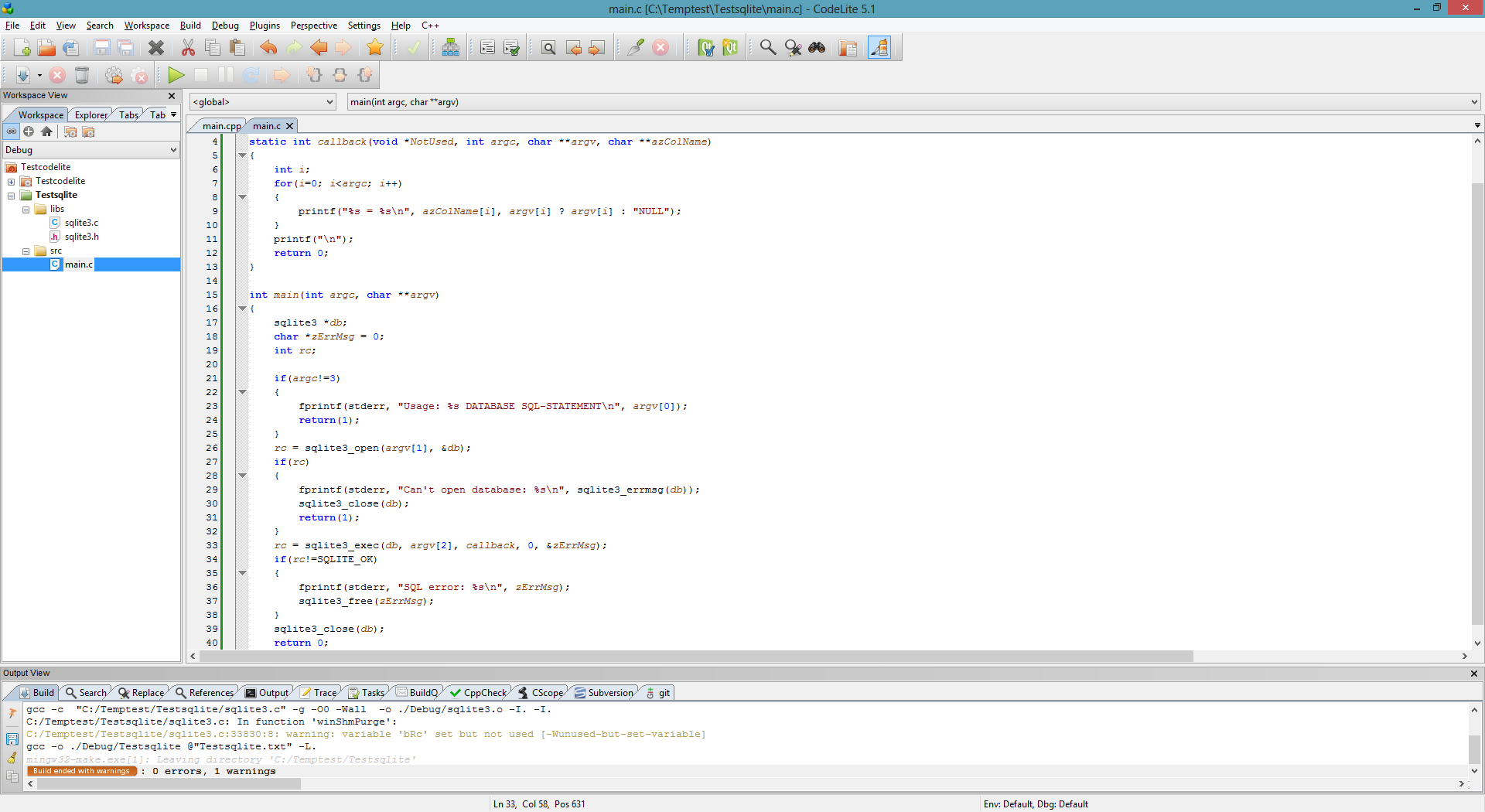
Run the application and see the result
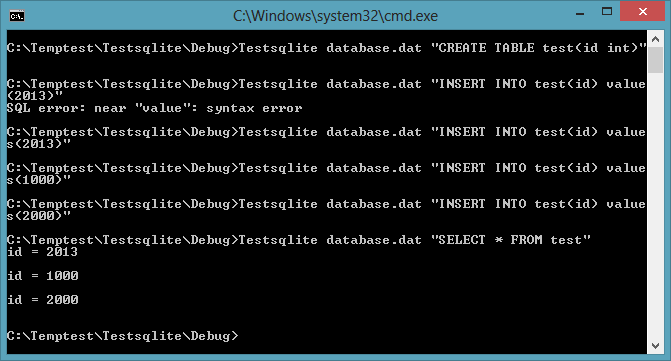
It’s pretty fast, easy to use and portable.
In next article I will show you how to encrypt the SQLite database using SQLCipher.
 Automation Software